 Malcolm Keith 2026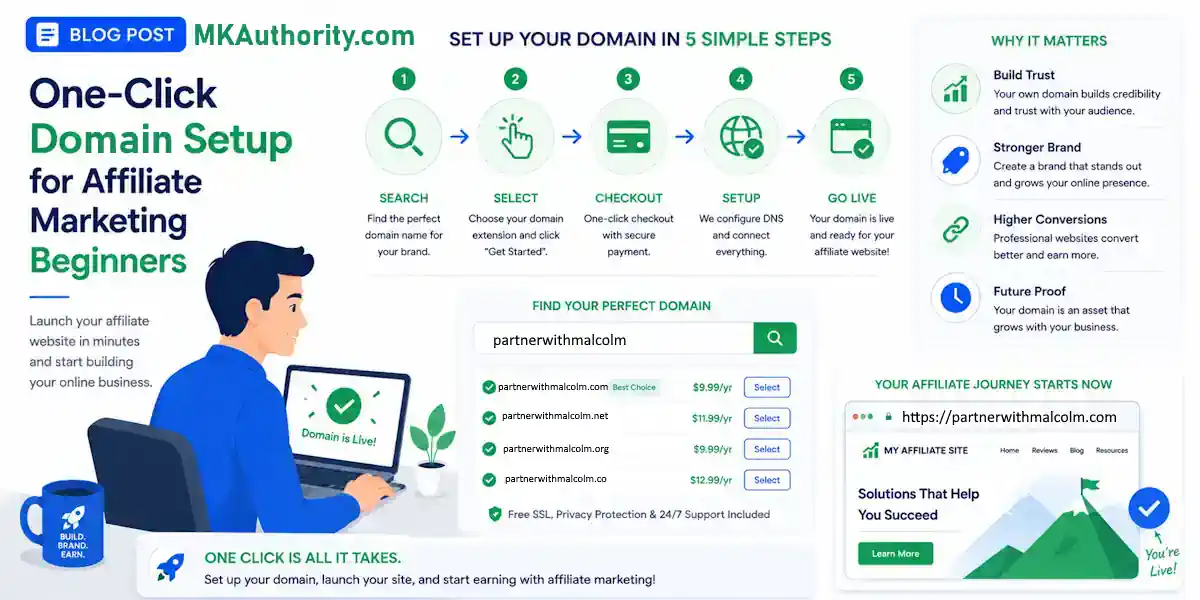

Most beginners don’t get stuck on affiliate offers. They get stuck buying a domain. One bad choice can cost you extra money every year. One technical mistake can break your business email before you send your first message. That’s why the one click domain setup that I use matters more than people think.
If you want a domain that’s easy to remember, cheaper to keep, and not another late-night DNS headache, start here.
ONLINEGOLDRUSH
Ready to watch a video from the founders and hear more about their approach?
👉 It’s on this page here
Prefer to learn by email?
👉 Tap here
(Also, look for the bot on the right side so you can ask private questions.)
Your domain is your brand, not a throwaway step
A domain name is your little piece of internet real estate. It’s what people type in, what they remember, and what sits under everything you build next.
That sounds simple, but this is one of those early steps where beginners usually go sideways. Some people overthink it for days and never move. Others rush, grab something clunky, and end up stuck with a name that feels awkward every time they say it out loud.
A good domain does a few quiet jobs for you right away:
- It gives your business a name people can recall later.
- It makes your first impression feel more serious.
- It keeps you from wasting money on a name you don’t even like six months from now.
When you’re starting affiliate marketing, every small choice matters because you’re building from scratch. You don’t have a giant budget to hide mistakes. You don’t want to burn time on avoidable problems either.
That’s why the domain step deserves a little thought, but not endless thought. You’re not trying to win a creativity contest. You’re trying to pick something clear enough to use, strong enough to grow with, and simple enough that a real person can remember it tomorrow.
That last part matters. If somebody hears your domain once and instantly forgets it, the name isn’t helping you. It’s slowing you down.
The four rules that make a domain work
You don’t need a fancy naming process. You need a few rules that keep you out of trouble.
Keep it short
Two or three words is a solid target. Once a domain gets too long, people stop wanting to type it. They also stop remembering it.
A name like johnsamazingonlinebusiness2026 isn’t memorable. It’s a chore. Long names create friction in every direction, typing, sharing, saying it in a video, putting it in a bio, even mentioning it in conversation.
Short names feel cleaner because they are cleaner.
Let the name hint at the benefit
A domain works better when it points toward what people want. In affiliate marketing, that usually means some version of income, freedom, opportunity, convenience, results, or a better life.
The example used in the video, Online Gold Rush, works because it immediately suggests opportunity. You hear the phrase and you already get the angle. That doesn’t mean every domain has to sound dramatic. It means the name should carry a little meaning.
For me, I use PartnerWithMalcolm because that is what I am doing with my HBA opportunity.
If you’re stuck here, it helps to think less about what you sell and more about what the visitor hopes to gain.
Make it easy to spell
If you have to spell your domain letter by letter, that’s a problem. If it needs a hyphen to make sense, that’s usually a problem too. Numbers replacing letters tend to make things worse.
Simple names travel better. Somebody hears it once, types it later, and gets it right. That’s what you want.
This is one reason generic clarity beats clever misspellings almost every time. Clever makes sense in your head. Clear makes sense in everybody else’s.
Run the memory test
Here’s the real test: if someone hears your domain today, can they remember it tomorrow?
If the answer is no, keep working.
That one question can save you from a lot of bad ideas. Short, benefit-driven, easy to spell, easy to remember. That’s the whole thing. Follow those four rules and you’re already ahead of a huge chunk of beginners.
If you want a second opinion on naming basics, both Openprovider’s domain naming guide and Namecheap’s affiliate domain tips make the same general point: simple names tend to win.
Why GoDaddy’s renewals deserve a second look
A lot of beginners head straight to GoDaddy because it’s the name they already know. That’s understandable. GoDaddy works, and this isn’t about pretending it doesn’t.
The issue is what happens after the first year.
Intro pricing gets attention because it looks cheap. Renewal pricing is where the real cost shows up, and that’s the part beginners often miss. In the video, GoDaddy renewals are framed at around $24 per year. That may not sound brutal on its own, but when you’re trying to keep overhead low, it matters.
Here’s the quick comparison that stood out:
| Option | First-year pricing | Annual renewal | What stands out |
|---|---|---|---|
| GoDaddy | Attractive intro price | Around $24/year | Familiar, but renewal cost is much higher |
| Domain Scout | About $1 less than GoDaddy | Around $13/year | Lower ongoing cost for keeping the domain |
That gap is the whole point. Saving around $11 a year on one domain won’t change your life, but beginners rarely stop at one moving part. Hosting, autoresponders, tracking tools, landing pages, traffic, it all stacks up.
So the better question isn’t “Can I afford $24?” It’s “Why pay nearly double on renewals if I don’t have to?”
When you’re new, keeping costs light gives you more room to test, learn, and keep going.
What Domain Scout does differently, not just the one click domain setup
Lower renewals are nice, but that isn’t the most interesting part of Domain Scout.
The better feature for beginners is that it helps with the naming process itself. If you’ve ever sat there for two or three hours trying to invent the perfect domain, you already know how easy it is to stall out before your business even starts.
Domain Scout gives auto-recommended domain ideas, which means you’re not staring at a blank box hoping genius shows up. You get suggestions, you compare them against the four rules above, and you move.
That matters more than it sounds. A lot of beginners don’t quit because the business model is wrong. They quit because the early setup feels annoying, slow, and weirdly technical. Anything that removes that friction is useful.
This is where a real one click domain setup starts to sound attractive. Not because it’s flashy, but because it keeps you from spinning in circles on tasks that don’t need to be hard.
You still need to choose well. No tool can do the thinking for you. But getting solid options handed to you is a lot better than wasting half a day brainstorming names you’ll never use.
Once that piece is done, the next step is building the rest of the setup around it. If you want the broader picture after the domain is secured, this step-by-step affiliate setup guide is a good next read.
The email setup headache that the one click domain setup removes
This is the part that trips up a ton of people.
If you’re doing affiliate marketing the right way, you need an email list. That means you need a business email tied to your domain. And once that happens, you’re usually dealing with SPF and DKIM records.
Those are email authentication settings. Their job is to tell email providers that your messages are legitimate and not spam.
For people who aren’t technical, this part can feel awful. You’re watching tutorials late at night. Copying long strings of text into settings panels you’ve never seen before. You’re hoping you pasted the record into the right field and didn’t miss one period, quote, or character.
One wrong character in a manual DNS record can send your emails to spam, and you may not realize it until your follow-up stops working.
That’s not a small issue. If your emails don’t land, your list isn’t doing its job.
The big promise here is that Domain Scout has a one-click button that applies those records automatically. No hunting through DNS screens or copy-and-paste guessing. No trying to decode technical instructions that were written for somebody else.
For a beginner, that’s the kind of feature that can save a project before it falls apart.
You don’t need to care about the jargon on day one. You need your business email to work. That’s why the one-click part matters. It removes one of the most annoying setup walls in the whole process.
Why this one click domain setup tool sits inside Home Business Academy
There’s one catch. Domain Scout isn’t a public tool floating around for anybody to stumble onto.
It’s part of The Home Business Academy, usually shortened to HBA.

According to the video, HBA was built for people getting started with building a home business online. Domain Scout is one piece of that, but not the whole thing. The platform also includes training, tools, and live coaching five days a week, all aimed at helping beginners get past the stuff that usually stops them early.
That’s an important distinction.
A cheap domain tool is helpful. A tool plus training plus coaching is a different kind of offer. If you’re new, that extra support can matter more than the domain itself because most people don’t struggle with one step. They struggle with the pile of steps.
The video says you can get started for as little as $10, which makes the entry point fairly low. It also points to a free tour of the full system, along with a done-for-you sales system and the chance to earn up to $128 in residual commissions per customer referral.
That doesn’t mean automatic income. The earnings disclaimer in the description is clear that typical affiliates earn no income, and no sales means no income. That’s the right way to look at it. Tools help. Training helps. The work still has to happen.
And once your domain is live, you’ll also want to know what happens after the click. This roundup of top affiliate link tracking software helps with that next step.
Pick something clear and keep moving
Your first domain doesn’t need to be clever. It needs to be clear, affordable, and easy to manage.
That’s why the biggest takeaway here isn’t the name itself. It’s the mix of lower renewals, better suggestions, and a one click domain setup for the technical stuff that usually slows beginners down.
If the domain step has been feeling bigger than it should, that’s the sign to simplify it and consider using a one click domain setup. Get a solid name, avoid bloated renewals, and don’t let DNS nonsense be the reason your business never gets off the ground.
I have affiliate links below, but I only recommend something when I think it gives real value.
Ready to watch a video from the founders and hear more about their approach?
👉 It’s on this page here
Prefer to learn by email?
👉 Tap here
(Also, look for the bot on the right side so you can ask private questions.)
