Malcolm Keith 2026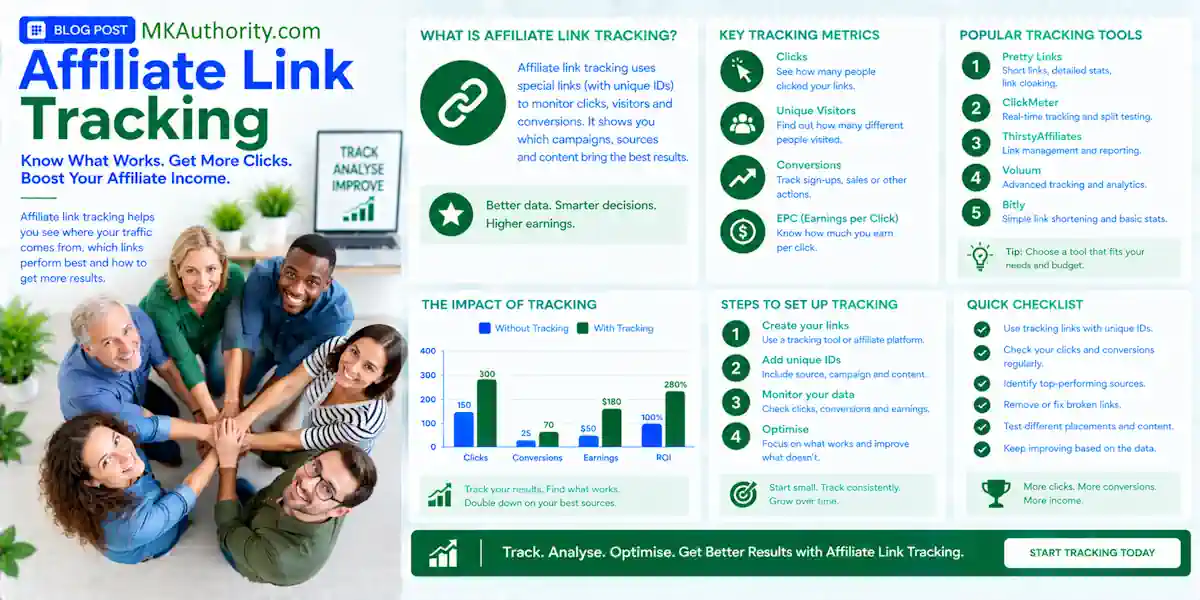

You can send hundreds of visitors to an offer and still have no idea which button did the work. That’s where clear click data helps. With Google Tag Manager events for affiliate link tracking, you can see which pages, placements, and programs get attention before visitors leave your site.
The setup is manageable, even if you’re new to GTM. The important part is knowing what a click proves, then testing the event before you trust the report.
Key Takeaways On Affiliate Link Tracking
- Use a GTM link trigger and a GA4 event called
affiliate_link_clickto identify the affiliate clicks you care about. - Label clicks by destination and placement. A hero button and a link buried in a review shouldn’t disappear into one total.
- Check GA4’s automatic outbound clicks before adding tags, so you don’t mistake two records of one action for two visitors.
- Treat approved network conversions and commissions as a separate measurement job. A click alone doesn’t prove a sale.
What an Affiliate Click Event Can Tell You

Google Analytics 4 can show what visitors do on your website. An affiliate click event records a tracked link click, not a purchase. Add a placement label, and click tracking can help you compare a review-table button with a final call to action.
That makes affiliate link tracking useful for deciding where to put your effort. If a page draws traffic but sends few visitors to the offer, you can inspect the page and its links. If a placement draws clicks, you know it’s getting attention.
Once the visitor reaches the merchant, your GTM tag usually stops observing their journey. It can’t confirm a purchase, an approved lead, a refund, your commission, or merchant conversion rates. For a simpler starting point, GA4 affiliate tracking setup also explains when GA4’s automatic outbound-click measurement may be enough.
Check Your Links Before Building a Trigger
First, open a few affiliate pages and click the links you want to measure. Do they point straight to another domain? Or do they pass through a branded path such as /go/offer on your own site?
That detail changes the rule. GA4’s Enhanced Measurement can record many direct outbound links as a click event with outbound=true. A click to your own /go/ path may look internal at that first step. Your custom GTM trigger can identify that path even when automatic outbound measurement doesn’t.
Now look at the element itself. A normal HTML link works with GTM’s Just Links trigger. A scripted button may need an All Elements trigger or an event sent by the page. On a WordPress website, Pretty Links can help manage branded redirects, sometimes using link cloaking. But a clean redirect URL alone doesn’t tell GA4 which merchant sits behind it.
Build the Affiliate Link Trigger in GTM
You don’t need a separate tag for every offer. One correctly scoped trigger can cover multiple affiliate links. Start with a clear rule, then expand it after you’ve checked the actual URLs on your site.
Enable click variables and choose Just Links
In GTM, open Variables, select Configure, and enable built-in variables such as Click URL, Click Text, Click Classes, and Click ID. Next, create a trigger under Triggers > New > Trigger Configuration > Just Links. Choose Some Link Clicks.
For an Amazon Associates link that goes directly to Amazon’s main US domain, a sample condition is Click URL matches RegEx ^https?://(www\.)?amazon\.com/. Adjust it to match the affiliate URLs you use. A separate rule such as Click URL contains /go/ can catch branded redirects if that path is reserved for offers.
Google’s click trigger documentation explains Just Links, Wait for Tags, and Check Validation. Wait for Tags can delay navigation briefly while a tag fires. Test it on your site rather than assuming every browser will deliver every click.
Give important placements an identifier
Click URL tells you where the link points. It doesn’t always tell you whether the visitor clicked the hero button or an inline recommendation.
If you can edit the links, give important placements distinct IDs, classes, or data attributes. For example, use a consistent placement value such as hero, review_table, or final_button. A GTM lookup table or an element attribute can then supply that value to your event tag. Keep the names short and consistent. You want reports you can read quickly, not another cleanup project.
For a practical look at how click variables behave, see Analytics Mania’s GTM click walkthrough.
Send a Useful Event to GA4
A trigger identifies the click. A tag sends the information to GA4. Keep those jobs separate in your head, and setup gets much easier.
Create the event tag
Under Tags, create a Google Analytics: GA4 Event tag. Select your existing Google tag, enter affiliate_link_click as the event name, and attach your affiliate-link trigger. GTM interfaces change, so the exact fields may differ in your container.
Start with these event parameters:
| Parameter | Value to send | Why it helps |
|---|---|---|
link_url | Click URL | Identifies the link clicked. |
link_text | Click Text | Shows the visible CTA wording. |
cta_location | Your placement value | Compares button positions. |
affiliate_program | Your program label | Groups links by partner. |
page_type | Your page label | Separates reviews from other pages. |
Use a concise, consistent label for each affiliate program in affiliate_program. For direct links, a lookup table based on the destination may work. With /go/ redirects, map the path or use a link attribute. Don’t assume GTM can see the final merchant in an internal redirect URL.
Keep parameters clean
Check URLs before sending them to GA4. Query strings can contain identifiers or other information you shouldn’t pass to analytics. Where needed, send a cleaned destination or a program label instead of the full URL.
Click Text can also be blank for an image link or vary when button markup changes. A stable ID or placement attribute is usually better for your main comparison. This GA4 button-tracking example shows why checking the element and its click variables matters before you publish.
Test the Click Without Counting It Twice
A tag that looks correct in GTM can still miss the click you care about. Spend a few minutes testing now, especially before you pay for traffic.
Watch one click through both tools
Open Preview in GTM, connect to your site, and click one affiliate link. Look for the click event in the preview timeline. Confirm that your trigger fired and that Click URL has the value you expected.
Then open DebugView in GA4 and find affiliate_link_click. Check the destination, program, and placement parameters. Use the Realtime report as a supplementary real-time analytics check, but rely on Preview and DebugView to verify the trigger and inspect event details. Repeat for a direct link, a /go/ redirect, and each important button type. If you need a second reference while checking the tag, this GTM and GA4 click-tracking guide follows the same trigger-to-event handoff.
A click to your own redirect can be a genuine affiliate click even when GA4 doesn’t label it as an automatic outbound click.
Fix missing and duplicate events
If nothing fires, inspect the element. Just Links needs a link; some WooCommerce external-product buttons are links, but themes and custom scripts can change the markup. For a scripted button, test an All Elements trigger or ask your developer to send one dedicated event when the button runs. Dynamically rendered links also need a real browser test after the page finishes loading.
If you see two records, check what created them. GA4 Enhanced Measurement may collect a generic outbound click while GTM sends your custom event. That’s fine if you report on affiliate_link_click alone rather than adding both totals together. A duplicate custom event is a different problem: look for another GTM tag, a WordPress plugin, or a GA4-created event using the same name.
Finally, test with your consent choices. A trigger can appear in Preview while consent settings prevent its GA4 tag from sending data. Setup details vary by site, plugins, and consent configuration.
Affiliate Link Tracking – Turn Clicks Into Better Affiliate Decisions
Once events arrive, compare placements for clues about on-site affiliate performance, rather than focusing on one big click number. Which review page sends people onward? Does the comparison-table link get attention? Are visitors clicking a program’s offer after arriving from paid traffic? These patterns indicate engagement, not confirmed sales or ROI.
In GA4, register event-scoped custom dimensions early for parameters such as cta_location and affiliate_program; they won’t populate historical reports. Then build an Exploration or create custom reports filtered to affiliate_link_click, broken down by those dimensions or page.
For a WooCommerce store with external affiliate products, start by checking the product button in GTM Preview. If it behaves like a regular link, the same trigger approach may work without editing analytics code on every product. Your theme’s markup decides what needs adjusting.
These are click-quality clues, not return on investment by themselves. If you run paid ads, compare spend with approved commission data. Use consistent affiliate sub-ID tracking when your network supports it, so campaign and placement details can travel beyond your site.
Connect Click Reports to Confirmed Sales
Want to know which clicks put money in your pocket? You need information from the advertiser or network after the visitor leaves.
Preserve the handoff
A tracker can assign a click ID and pass it through your redirect to an affiliate network, if the network accepts it. The network can return that identifier with a reported conversion through a server-to-server postback. Test the full route. If a redirect drops the ID, the later sale can’t be matched to that click.
Postback tracking for affiliate campaigns covers that handoff in more detail. Affiliate network reporting helps verify approved sales, reversals, and payable commissions, giving you a clearer view of affiliate revenue. Your GA4 click total and network click total may differ because they record different parts of the journey.
Know when to use another tool
GTM is a practical way to measure actions on your pages. It isn’t an affiliate payout platform or a fraud prevention system. For broader partner management, custom commission structures, automated payouts, or traffic across many campaigns, evaluate affiliate tracking software and compare affiliate link tracking tools against those needs.
Client-side GTM events are still useful for page and button behavior. Server-side systems can handle conversion information with less dependence on a visitor’s browser, provided the click ID survives. Neither method excuses missing consent or broken links. The server-side tracking guide for affiliate marketers explains where that extra setup earns its keep.
Frequently Asked Questions On Affiliate Link Tracking
Do I need GTM to track every affiliate link?
No. GA4’s Enhanced Measurement can be enough for basic direct outbound links. Use GTM when you need a named affiliate event, placement labels, redirect rules, or more control over which clicks count.
Can a GA4 affiliate click event confirm a sale?
No. It records a click on your site. Check the affiliate network, advertiser, or supported postback for conversion and commission status. Even a GA4 key event based on that click remains a click.
Why isn’t my /go/ link showing as outbound?
The clicked URL is on your own domain, so automatic outbound measurement may not classify it as external. Build a trigger for your redirect path, then check that the redirect still reaches the offer and preserves any required tracking parameters.
Make Every Click Count for the Right Reason
A busy click report can feel encouraging. The useful report tells you which link got clicked, where it appeared, and which program it promoted.
Build one affiliate_link_click event, test the real buttons and redirects, and keep confirmed commissions in their own column. Use those insights to improve pages and allocate traffic within your affiliate marketing strategy. Treat click data as a guide, not proof of revenue.